Keeping your computer clean isn’t just about looks—it directly affects performance, longevity, and overall usability. Whether you’re a casual user, remote worker, or gamer with a powerful rig, investing in the best accessories to clean computer helps prevent overheating, dust build-up, and sticky keyboards. In this guide, we’ll explore the most effective computer cleaning tools, sprays, and kits available, plus explain why regular maintenance matters.
Content
Why Cleaning Your Computer Matters
Over time, dust, dirt, and oils from your hands collect on your computer’s surface and inside components. This build-up can:
Block airflow and cause overheating.
Reduce fan efficiency, leading to more noise.
Damage sensitive hardware.
Make screens and keyboards unhygienic.
That’s why using professional accessories to clean computer is essential. With the right tools, you can extend your computer’s life, keep it running smoothly, and improve your daily experience.
Essential Accessories To Clean Computer
There are several must-have products designed to keep your device spotless. Here are the most useful ones:
1. Computer Cleaning Spray
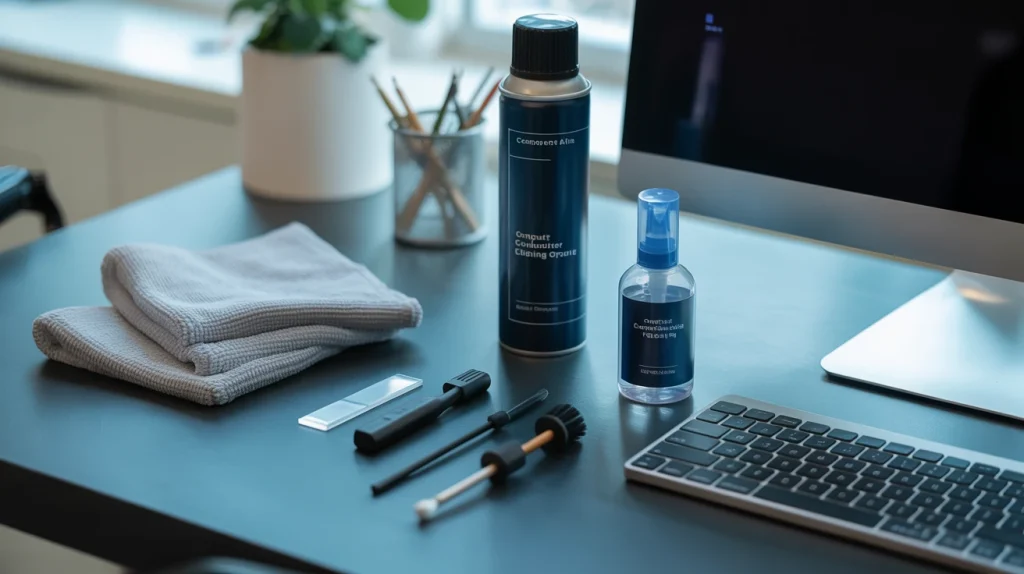
A computer cleaning spray is one of the safest and most effective ways to remove fingerprints, smudges, and grime from screens, keyboards, and cases. Always choose alcohol-free sprays to protect anti-glare coatings.
2. Microfiber Cloths
A microfiber cloth is a basic but essential accessory. Unlike tissues or paper towels, microfiber doesn’t scratch screens and effectively removes dust. Pairing it with a cleaning spray gives the best results.
3. Air Dusters (Compressed Air)
Dust often hides in fans, vents, and other tight spots. A can of compressed air is among the best accessories to clean computer, especially for gaming PCs with multiple cooling systems. It blows away dirt without direct contact, making it safe for delicate components.
4. Keyboard Cleaning Tools
Keyboards collect dust, crumbs, and bacteria quickly. Special brushes, mini vacuums, and gel cleaners are great for removing dirt from between keys.
5. Gaming PC Cleaning Kit
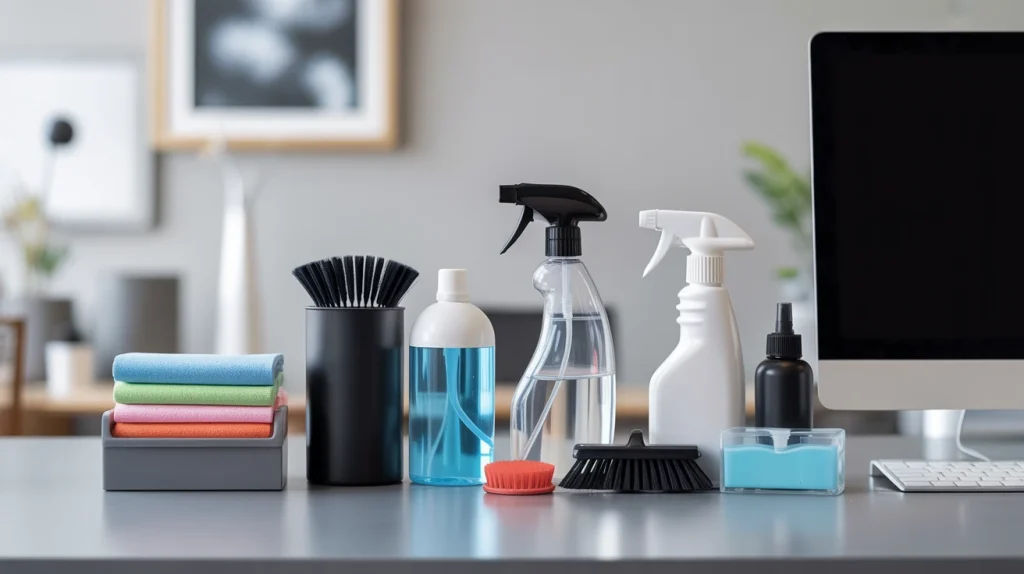
If you own a gaming rig, a gaming PC cleaning kit is a smart investment. These usually include anti-static brushes, air blowers, microfiber cloths, and sometimes thermal paste for deeper maintenance. They’re designed for high-performance machines that tend to gather more dust.
Best Computer Cleaning Kit Options
An all-in-one solution can save you time and effort. The best computer cleaning kit usually includes:
Cleaning spray
Microfiber cloths
Anti-static brushes
Compressed air or an air blower
Keyboard cleaning gel
Some premium kits also feature specialized swabs and screen wipes for precision cleaning.
5 Example Of Cleaning Tools In Computer
Here are 5 example of cleaning tools in computer care that every user should own:
Compressed Air Can – Blows dust from fans and vents.
Microfiber Cloth – Keeps screens clear of smudges.
Cleaning Spray – Safe for displays and surfaces.
Keyboard Brush or Gel – Reaches between tight key spaces.
Mini Vacuum – Collects debris without blowing it deeper inside.
Using these regularly helps keep your device in excellent condition.
Computer Cleaning Tools Software
Physical cleaning is important, but digital cleaning matters too. Computer cleaning tools software helps improve system performance by removing junk files, fixing registry errors, and speeding up startup times. Popular options include:
CCleaner
BleachBit
Advanced SystemCare
CleanMyPC
Windows built-in Disk Cleanup
Pairing software with hardware cleaning ensures your computer stays optimized inside and out.
Professional Accessories To Clean Computer
For heavy users and gamers, professional accessories to clean computer are worth the investment. These include:
Reusable electric air dusters (eco-friendly alternative to compressed air cans).
Anti-static gloves to safely handle internal parts.
Specialized cleaning solutions for high-resolution and gaming monitors.
Precision screwdrivers for opening cases during deep cleaning.
These tools make advanced maintenance safer and more effective.
How Often Should You Clean Your Computer?
The frequency of cleaning depends on your usage and environment:
Light use (office/remote work): Every 2–3 months.
Heavy use (gaming, design, editing): Monthly cleaning.
Dusty environments: Quick dusting every 2 weeks.
Consistent upkeep prevents overheating and prolongs hardware life.
Tips For Safe Computer Cleaning
Follow these tips to avoid damaging your device:
Power off and unplug your computer before cleaning.
Avoid household cleaners with ammonia or bleach.
Use soft, lint-free microfiber cloths for screens.
Hold compressed air cans upright to prevent liquid spray.
Handle internal parts carefully to avoid static damage.
Final Thoughts: Best Accessories To Clean Computer
Keeping your computer clean doesn’t take much effort—just the right set of tools. From computer cleaning spray to a complete gaming PC cleaning kit, investing in the best accessories to clean computer helps keep your device cool, quiet, and efficient.
Combine physical cleaning with computer cleaning tools software for a complete maintenance routine, and your system will run faster, last longer, and stay more reliable. Whether you’re a casual user or a serious gamer, the right accessories make computer care simple and effective.
What is the best thing to clean your computer with?
The best things to use are microfiber cloths, computer cleaning spray, and compressed air for safe dust removal.
What’s the best way to clean up my computer?
Use compressed air for dust, microfiber cloths for screens, and cleaning software to clear junk files.
How to clean PC dust with no tools?
You can gently blow out dust, use a soft dry cloth, or lightly tap the case to release buildup until proper tools are available.
What are the 10 ways in cleaning the computer?
Wipe the screen, clean the keyboard, dust vents, use air on fans, organize cables, sanitize mouse, clean ports, wipe casing, run cleaning software, and clear storage.
Tech enthusiast by passion and PC builder by obsession, Robert brings years of hands-on experience in customizing rigs, optimizing performance, and staying ahead of the latest hardware trends. Whether you’re a beginner or a seasoned gamer, he loves turning complex tech into straightforward, actionable insights for the BuildSuperPC community.